- Concept of World Wide Web (WWW)
The World Wide Web (WWW) is a global information system that allows users to access, retrieve, and share information over the Internet using web browsers. It consists of interlinked documents and resources, called web pages, which are connected through hyperlinks.
- The WWW was invented by Tim Berners-Lee in 1989.
- It works on a client–server model.
- Information is accessed using Uniform Resource Locators (URLs).
- Web content is written mainly in HTML and transferred using HTTP/HTTPS.In simple terms, WWW is a service running on the Internet that enables web browsing.
- Difference Between Internet and World Wide Web (WWW)
- Internet
- The Internet is a global network of interconnected computers and devices.
- It provides the basic infrastructure for communication and data transfer.
- It supports multiple services such as email, file transfer, video conferencing, and WWW.
- World Wide Web (WWW)
- The WWW is a service that operates on the Internet.
- It allows users to access and view web pages using web browsers.
- It uses HTTP/HTTPS, URLs, and HTML to deliver information.
In simple terms: The Internet is the network, while the WWW is one of the services running on that network.
- Key Concepts of World Wide Web (WWW)
3.1 Web Page
- A web page is a digital document displayed in a web browser.
- It may contain:
- Text
- Images
- Audio and video
- Tables and graphics
- Hyperlinks
- Web pages are mainly written in HTML (HyperText Markup Language).
- A web page is the basic unit of information on the WWW.
3.2 Website
- A website is a collection of related web pages stored on a web server.
- All pages in a website are linked together.
- Identified by a unique domain name (e.g., example.com).
- Websites may be:
- Informational
- Educational
- Commercial
- Governmental
3.3 Hypertext and Hyperlink
- Hypertext refers to text that contains links to other documents or web pages.
- Hyperlinks are clickable elements (text, images, buttons) that connect one web page to another.
- Hyperlinks enable easy navigation and interconnection of information on the WWW.
- They are the foundation of the interlinked structure of the web.
3.4 URL (Uniform Resource Locator)
- A URL is the address of a web resource on the Internet.
- It specifies the location and access method of a web page or file.
- Basic structure of a URL includes:
- Protocol (e.g., https) – defines communication rules
- Domain name – identifies the server
- Path to resource – specifies the exact file or page location
- URLs enable users to locate and access web content easily.
- Components of World Wide Web (WWW)
The World Wide Web is made up of several key components that work together to store, transfer, and display information over the Internet.
4.1 Web Browser (Client)
- A web browser is application software used to access, retrieve, and view web pages on the WWW.
- It acts as a client in the client–server model.
- Common examples include Google Chrome, Mozilla Firefox, Microsoft Edge, etc.
Functions of a Web Browser
- Sends requests to web servers for web pages.
- Interprets HTML code and displays content in a readable format.
- Enables navigation through hyperlinks between web pages.
- Supports multimedia content such as images, audio, and video.
Without a web browser, users cannot access or view web content.
4.2 Web Server
- A web server is a computer system or software that stores, processes, and delivers web pages to users.
- It responds to browser requests using HTTP or HTTPS protocols.
- Web servers are always connected to the Internet to provide uninterrupted access.
Examples of Web Server Software
- Apache
- Nginx
- IIS (Internet Information Services)
Web servers are responsible for hosting websites and making them available globally.
4.3 Web Pages
- A web page is a digital document available on the WWW.
- It contains information in the form of: Text, Images, Audio, Video, Hyperlinks
- Web pages are mainly written using HTML.
Types of Web Pages
- Static web pages: Content is fixed, Same information is shown to all users
- Dynamic web pages: Content is generated on demand, May change based on user input or time
Web pages are the basic building blocks of the World Wide Web.
4.4 HTTP / HTTPS
- HTTP (HyperText Transfer Protocol) is a communication protocol that defines how data is exchanged between a web browser and a web server.
- HTTPS (HyperText Transfer Protocol Secure) is the secure version of HTTP.
- HTTPS uses encryption to protect data from unauthorized access.
Importance of Secure Web Communication (HTTP/HTTPS)
- Ensures safe and secure data transfer between browser and server.
- Protects sensitive information such as passwords, personal details, and financial data.
- Prevents data theft, hacking, and unauthorized access.
- Widely used in:
- Online banking
- E-commerce websites
- Secure government and institutional portals
HTTPS is essential for building trust and security on the WWW.
4.5 HTML (HyperText Markup Language)
- HTML is the standard language used to create web pages.
- It structures web content using tags.
- HTML tags define: Headings, Paragraphs, Images, Tables, Hyperlinks
- HTML helps browsers understand how content should be displayed.
- Forms the foundation of all websites.
4.6 URL (Uniform Resource Locator)
- A URL specifies the exact address of a web resource on the Internet.
- It tells the browser:
- Which protocol to use
- Which server to contact
- Which resource to access
- Essential for accessing any web page, image, or file.
- Without a URL, web resources cannot be located.
4.7 Search Engines
- Search engines are tools used to find information on the World Wide Web.
- Common examples include Google and Bing.
- They work by:
- Indexing web pages
- Storing information in databases
- Retrieving relevant results based on user queries
- Help users quickly locate required information from billions of web pages.
4.8 Web Hosting
- Web hosting is a service that provides storage space on web servers.
- It allows websites to be published and accessed on the WWW.
- Hosting providers keep servers online 24×7.
- Without web hosting, a website cannot be accessed publicly.
Working of World Wide Web (WWW)
The WWW works on a client–server model and follows these steps:
- The user enters a URL in the web browser.
- The browser sends a request to the web server.
- The server processes the request.
- The server sends the web page back to the browser.
- The browser interprets HTML and displays content to the user.
This entire process happens in seconds.
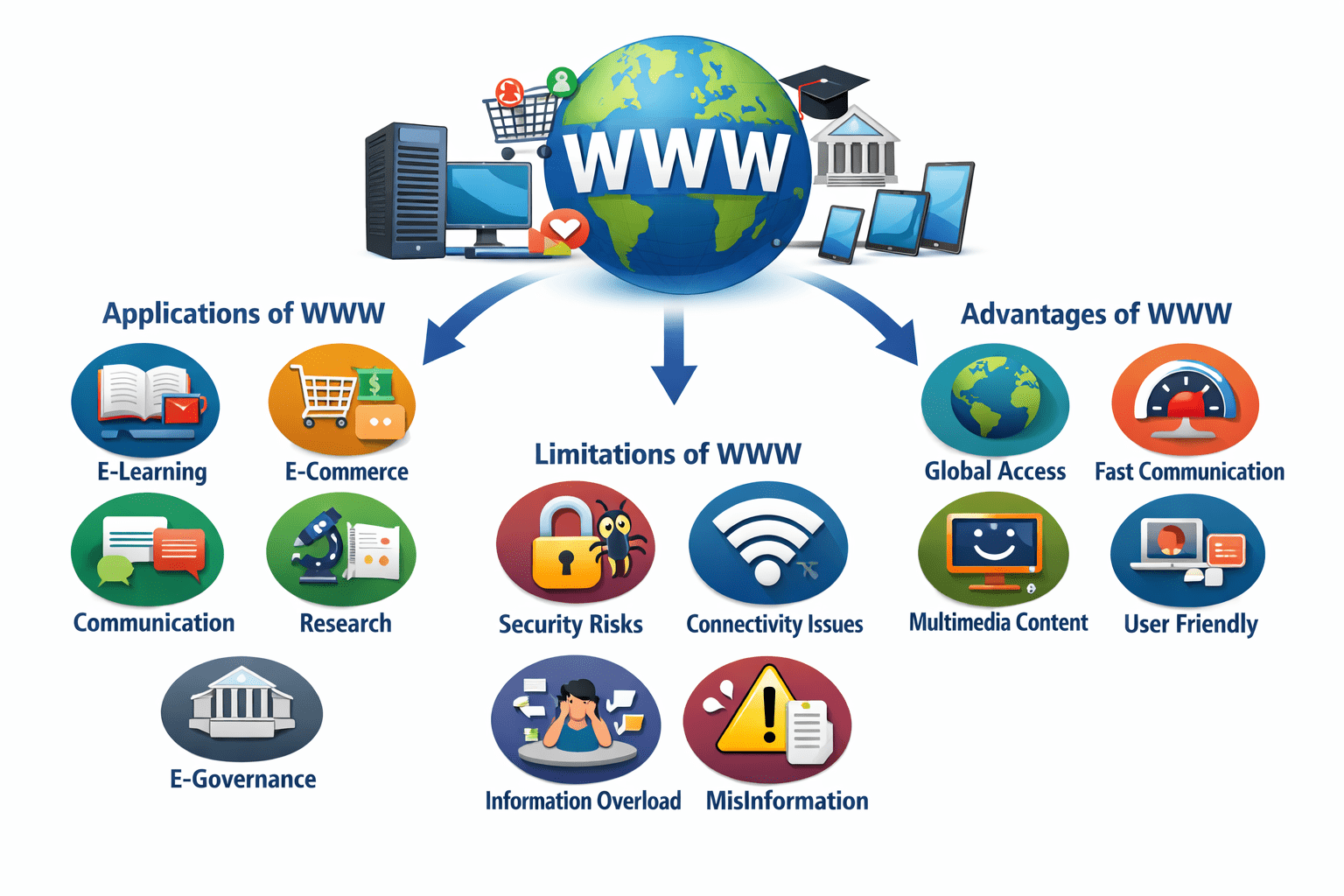
- Applications of World Wide Web (WWW)
- Education and e-Learning The WWW supports online education through e-learning platforms, digital libraries, online courses, virtual classrooms, and access to study materials anytime and anywhere.
- e-Commerce and Online Banking Enables online buying and selling of goods and services, digital payments, fund transfers, online shopping, and secure banking transactions.
- Communication Facilitates communication through email, social media platforms, video calls, chats, and online forums, enabling instant global interaction.
- Research and Information Sharing Provides access to journals, research papers, databases, reports, and global knowledge repositories, supporting academic and scientific research.
- e-Governance and Online Services Used for online government services such as application submission, bill payment, tax filing, subsidy distribution, and public information access.
- Advantages of WWW
- Provides easy and instant access to global information.
- Enables fast and efficient communication across the world.
- Supports multimedia content such as text, images, audio, and video.
- Offers a user-friendly interface, making information retrieval simple.
- Saves time, effort, and cost in information sharing and communication.
- Limitations of WWW
- Security and privacy issues, including hacking and data theft.
- Complete dependence on Internet connectivity.
- Information overload, making it difficult to identify reliable content.
- Risk of misinformation and fake content.
- Potential for misuse and exposure to harmful or unethical content.